
Key Takeaways
- Micro-Habits Overhaul Workspaces: Taking five minutes at the end of every workday to clear desk surfaces, wipe down peripherals, and empty small trash bins stops dust and bacteria accumulation before it builds up.
- Electronics Require Gentle Maintenance: Monitors, keycaps, and delicate tech items demand specialized microfiber dusting and dry or dedicated damp wiping to prevent surface damage and electrical hazards.
- Air Quality Directly Drives Focus: Dust buildup on PC cooling vents, desk fans, and nearby bookshelves circulates fine particulate matter, making regular top-to-bottom dusting essential for indoor air health.
- Boundary Hygiene Prevents Messes: Establishing clear workplace rules—such as stepping away from the desk during lunch—drastically cuts down on crumbs, sticky residues, and paper clutter.
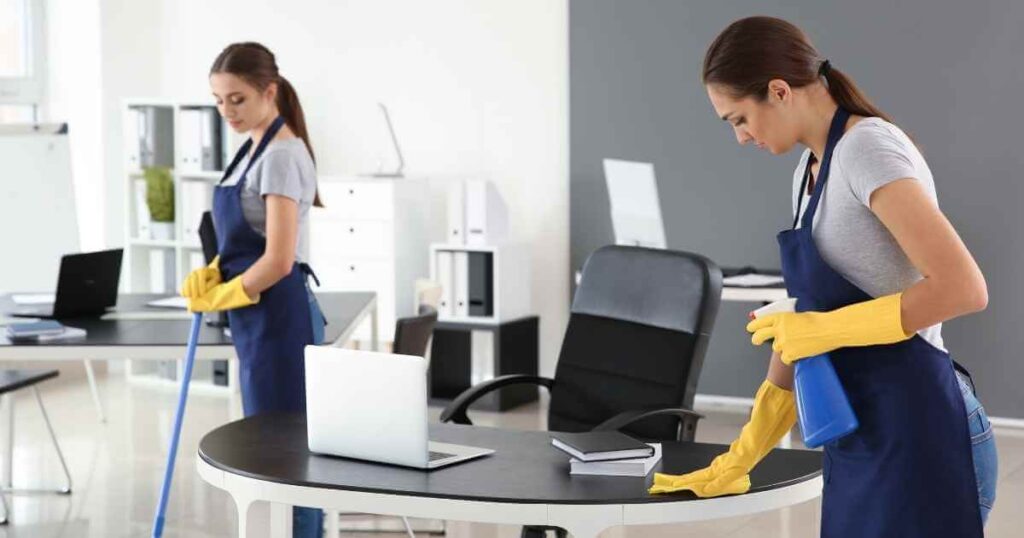
Working from home in Kirkwood offers unbeatable flexibility, but when your professional space doubles as part of your living room, guest bedroom, or finished basement, dust and clutter tend to accumulate quietly. Between endless video calls, stack of notes, and late-afternoon coffee mugs, an neglected desk quickly becomes a source of distraction rather than focus. Homeowners who rely on professional house cleaning services in Kirkwood, MO often note that maintaining a tidy home office between professional visits boils down to simple, consistent micro-habits. Establishing a clean workspace not only sharpens your mental clarity during long workdays, but it also protects your delicate tech investments and supports healthy indoor air quality.
Why Workspace Hygiene Matters for Remote Professionals
A dedicated home office experiences a unique combination of heavy foot traffic, constant human contact, and continuous heat generation from electronics. Laptops, desktop towers, and dual-monitor setups act like electrostatic magnets, actively pulling airborne dust particles toward your desk throughout the day.
When left unchecked, this buildup creates more than just an unsightly layer of grime:
- Accumulation of Micro-Debris: Keyboards, mice, and desk mats collect skin cells, natural oils, and food particles, creating breeding grounds for surface bacteria.
- Hardware Strain: Dust clogging up ventilation slots on computers forces cooling fans to run harder, increasing device heat and noise.
- Cognitive Load: Visual clutter and scattered documents compete for your visual attention, silently driving up daily stress levels.
By tackling your workspace with structured daily micro-tasks and a thorough weekly reset, you can maintain an inspiring atmosphere that supports your best work.
| Cleaning Frequency | Focus Area | Core Cleaning Action | Recommended Tool |
| Daily (5 Minutes) | Desk Surface & Peripherals | Clear loose clutter, wipe high-touch points, empty bin | Isopropyl-dampened cloth or gentle wipe |
| Weekly (15–20 Minutes) | Monitors, Shelves & Baseboards | Top-to-bottom dusting, screen cleaning, vacuuming | Dry microfiber cloth & HEPA vacuum |
| Monthly (30 Minutes) | Cable Runs & Tech Vents | Clear dust from power strips, wire bundles, and PC vents | Compressed air & soft detail brush |
Daily Micro-Habits to Stop Desk Clutter Before It Starts
The most effective way to keep your home office clean is to prevent mess from solidifying in the first place. Incorporating brief daily rituals at the close of your workday creates a clear boundary between work hours and evening personal time.
End-of-Day Surface Clear
Before closing your laptop for the evening, take three minutes to return items to their designated homes. Stack notebooks, cap pens, and move lingering coffee cups or water glasses straight to the kitchen sink. Leaving a clean surface for the next morning sets a fresh, organized tone the moment you step back into your workspace.
Wiping Down High-Touch Electronics
Computer keyboards, computer mice, and desk phones endure hours of direct contact every day. According to health guidance from the CDC, regularly cleaning frequently touched surfaces helps remove accumulated grime and lowers overall germ counts. Unplug or turn off your peripherals, then gently wipe them down using a barely damp microfiber cloth or specialized electronics wipe.
Regular surface maintenance on high-touch office peripherals keeps equipment functioning smoothly while preventing the gradual buildup of skin oils and surface residues.
Emptying Under-Desk Wastebins
It is easy to let small under-desk trash cans overflow with scrap paper, snack wrappers, or tissue. Empty your office bin into your primary household waste stream at the end of each afternoon. This quick step prevents lingering food odors and stops household pests from taking interest in your workspace.
A Step-by-Step Weekly Home Office Cleaning Routine
While daily habits manage immediate clutter, setting aside 15 to 20 minutes on Friday afternoons or Monday mornings ensures your office gets a comprehensive hygiene reset.
- Power Down and Unplug: Turn off monitors, computers, and power strips to make dust visible on dark screens and ensure safety around electrical connections.
- Dust Top-to-Bottom: Start on higher elevations—such as top bookshelf ledges, picture frames, and monitor arms—working downward toward the desk surface so falling dust settles on uncleaned lower areas.
- Clean Monitors Gently: Never spray glass cleaner or household liquid directly onto computer displays. Wipe screens softly in a circular motion with a dry, clean microfiber cloth designed for delicate optics.
- Detail the Desk Surface: Lift your keyboard, desk pad, and charging docks to wipe the actual desk material with a mild, eco-friendly surface spray that matches your furniture finish (wood, laminate, or glass).
- Vacuum Surrounding Floors: Vacuum the floor around your desk chair, paying special attention to the plastic mat or rug underneath where chair casters grind dust into the floor fibers.
If your workspace needs a deeper baseline reset alongside the rest of your home, scheduling a professional deep cleaning service clears away months of hidden dust behind furniture, along baseboards, and over high window casings.
Smart Lifestyle Boundaries for a Clean Workspace
Beyond physical wiping and dusting, setting intentional lifestyle rules preserves your home office environment with minimal ongoing effort.
Keep Meals Away from Your Desk
It is tempting to work through lunch while checking emails, but eating over your keyboard inevitably drops microscopic crumbs into keycaps and spills sticky liquids on desk pads. Make it a strict rule to step away from your workstation for meals. Eating in the kitchen or dining room gives your mind a true mental rest while keeping your workstation pristine.
Establish a Paper Sorting System
Paper remains one of the primary drivers of visual chaos in remote offices. Eliminate loose stacks by instituting a simple three-bin tray system right next to your desk:
- In-Tray: Documents requiring immediate action or review this week.
- File: Important physical records that belong in a labeled filing cabinet or folder.
- Shred/Recycle: Junk mail, printed drafts, and obsolete notes destined for disposal at the end of the day.
Tame Your Cables
Dangling cables acting as dust traps beneath your desk make vacuuming frustrating. Use simple hook-and-loop cable ties or mounting channels to group power cords along desk legs or beneath the tabletop. Elevating cables off the floor allows your vacuum cleaner to pass freely underneath without catching on cords.
For remote professionals balancing demanding workloads, establishing a steady rhythm of home care makes working from home significantly more rewarding. Pairing small daily habits with your regular home care routine—such as recurring housekeeping services—ensures your entire living and working environment stays balanced, healthy, and refreshed week after week.
Ready to Enjoy a Truly Fresh Home and Workspace?
Keeping up with work commitments while keeping a house spotless can feel like a balancing act. If you would like professional help maintaining a fresh, healthy living environment, our warm and detail-loving team is here for you. Green Angel Cleaning brings gentle, delicately perfumed, eco-friendly care to homes throughout Kirkwood and Greater St. Louis. Whether you are looking for routine maintenance or preparing for an upcoming relocation with our specialized move cleaning services, we take pride in delivering a sparkling space you love coming home to. To discuss your home care goals, connect with our team online or give us a call at (314) 712-1108 today.
